English to Braille Converter: Translate Text to Braille Free (ID)
Free English to braille converter online. Translate text to braille with Unicode, Grade 1 and 2, and copy-paste braille output.
By Braille Translator Team
What Is a Text to Braille Converter? (ID)
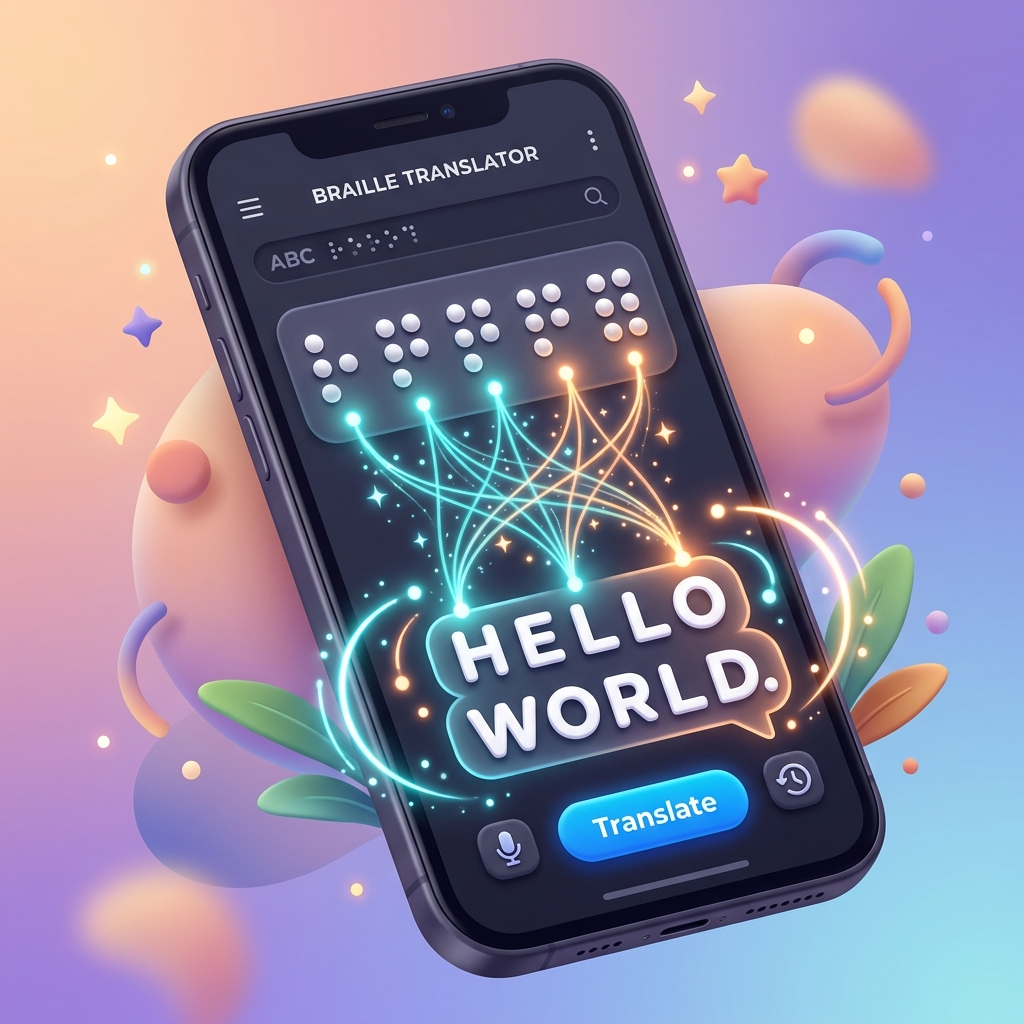
A text to braille converter transforms typed or pasted English text into braille characters in 2 output formats: Unicode braille (⠃⠗⠁⠊⠇⠇⠑) and ASCII braille. The converter applies braille translation rules from a rules database to map each letter, number, and punctuation mark to the correct braille cell pattern.
A text to braille converter handles 3 core functions:
- Character mapping — converting each English character to its braille dot pattern
- Contraction application — replacing common words and letter groups with contracted forms in Grade 2 braille
- Indicator insertion — adding capitalization indicators (⠠), number indicators (⠼), and other formatting signs required by braille rules
The Text to Braille tool on Braille Translator performs all 3 functions in a web browser with zero software installation.
How to Convert Text to Braille in 4 Steps (ID)
Converting English text to braille using Braille Translator takes under 30 seconds:
Step 1: Open the tool. Go to the Text to Braille tool in any web browser (Chrome, Firefox, Safari, Edge) on desktop or mobile.
Step 2: Select a translation table. Choose the language and grade from the dropdown menu. For English Grade 2 braille, select “English (Unified) — Grade 2.” For English Grade 1 braille, select “English (Unified) — Grade 1.” The tool supports 20+ language tables including Spanish, French, German, Arabic, Hindi, Chinese Mandarin, Japanese, Korean, and Russian.
Step 3: Enter text. Type directly into the input field or paste text using Ctrl+V (Windows/Linux) or Cmd+V (macOS). The tool accepts up to 10,000 characters per translation.
Step 4: Copy or download the output. The braille output appears instantly below the input field. Click the copy button or press Ctrl+C (Windows/Linux) / Cmd+C (macOS) to copy the Unicode braille to the clipboard. Click the download button to save the output as a BRF file for braille embossers.
Grade 1 vs Grade 2 Output Differences (ID)
The grade selection changes the braille output significantly. Grade 1 (uncontracted) braille maps each letter to 1 braille cell. Grade 2 (contracted) braille applies 189 UEB contractions to shorten common words and letter groups.
Example input: “The children are reading and learning”
| Grade | Braille Output | Cell Count |
|---|---|---|
| Grade 1 | ⠠⠞⠓⠑ ⠉⠓⠊⠇⠙⠗⠑⠝ ⠁⠗⠑ ⠗⠑⠁⠙⠊⠝⠛ ⠁⠝⠙ ⠇⠑⠁⠗⠝⠊⠝⠛ | 36 cells |
| Grade 2 | ⠠⠮ ⠡⠊⠇⠙⠗⠑⠝ ⠜⠑ ⠗⠂⠙⠬ ⠯ ⠇⠑⠜⠝⠬ | 25 cells |
Grade 2 braille saves 11 cells (31% reduction) in this example. The contractions applied include: “the” → ⠮ (1 cell instead of 3), “ch” → ⠡ (1 cell instead of 2), “ar” → ⠜ (1 cell instead of 2), “ea” → ⠂ (1 cell instead of 2), “ing” → ⠬ (1 cell instead of 3), and “and” → ⠯ (1 cell instead of 3).
Select Grade 2 for standard English documents. Select Grade 1 for beginners learning braille, math content, or character-by-character accuracy.
Output Formats: Unicode Braille vs ASCII Braille (ID)
Unicode Braille (ID)
Unicode braille uses characters from the Unicode Braille Patterns block (U+2800 to U+28FF), which contains 256 braille characters representing every combination of 8 dots. Unicode braille characters display as raised-dot patterns in any Unicode-compatible font.
Unicode braille output from Braille Translator works in:
- Text editors — Notepad, VS Code, Sublime Text, Google Docs, Microsoft Word
- Messaging apps — iMessage, WhatsApp, Telegram, Discord, Slack
- Social media — Twitter/X, Facebook, Instagram, Reddit
- Email clients — Gmail, Outlook, Apple Mail
- Web pages — any HTML page with UTF-8 encoding
Unicode braille is the default output format because users can copy and paste Unicode braille characters anywhere text is supported.
ASCII Braille (ID)
ASCII braille maps each braille cell to a printable ASCII character using the North American Braille ASCII standard. The letter “a” (dots 1) maps to ASCII “A,” the letter “b” (dots 1-2) maps to ASCII “B,” and the full cell (dots 1-2-3-4-5-6) maps to ASCII ”=.”
ASCII braille output is used for:
- BRF files — Braille Ready Format files that braille embossers read directly
- Legacy braille software — older programs that do not support Unicode
- Braille note-takers — devices like the BrailleNote Touch that import BRF files
BRF File Download for Braille Embossers (ID)
BRF (Braille Ready Format) files contain ASCII braille text formatted for braille embossers. The Text to Braille tool generates downloadable BRF files from any input text.
BRF files work with these braille embossers:
| Embosser | Manufacturer | Pages Per Minute | Price Range (USD) |
|---|---|---|---|
| Index Everest-D V5 | Index Braille | 5 pages/min | $4,500–$5,500 |
| ViewPlus Tiger Max | ViewPlus Technologies | 3 pages/min | $8,000–$10,000 |
| Romeo 60 | Enabling Technologies | 2 pages/min | $2,200–$2,800 |
| Basic-D V5 | Index Braille | 2 pages/min | $2,800–$3,500 |
| Juliet 120 | Enabling Technologies | 4 pages/min | $4,000–$5,000 |
A standard braille page in a BRF file contains 25 lines of 40 characters (1,000 cells per page). The page dimensions match standard braille paper: 292 mm × 279 mm (11.5 × 11 inches).
Copy-Paste Braille: How It Works (ID)
The copy-paste function in Braille Translator copies Unicode braille characters to the system clipboard. This process works identically across all 4 major operating systems:
- Windows: Ctrl+C to copy, Ctrl+V to paste
- macOS: Cmd+C to copy, Cmd+V to paste
- Linux: Ctrl+C to copy, Ctrl+V to paste
- ChromeOS: Ctrl+C to copy, Ctrl+V to paste
The copied braille text retains all Unicode characters, spacing, and line breaks. Pasting into a word processor, email, or chat app displays the braille dot patterns exactly as shown in the tool output.
Important: The receiving application must use a font that includes the Unicode Braille Patterns block. All major system fonts (Segoe UI on Windows, SF Pro on macOS, Noto Sans on Android, San Francisco on iOS) include braille characters.
Language Support: 20+ Translation Tables (ID)
Braille Translator supports braille translation in 20+ languages through the LibLouis translation engine. Each language uses its own braille code and contraction rules.
| Language | Braille Code | Contracted Grade Available |
|---|---|---|
| English | UEB (Unified English Braille) | Yes — Grade 2 (189 contractions) |
| Spanish | CBE (Código Braille Español) | Yes — Grade 2 |
| French | Code Braille Français | Yes — abrégé |
| German | Deutsche Blindenschrift | Yes — Kurzschrift |
| Arabic | Unified Arabic Braille | Yes — Grade 2 |
| Hindi | Bharati Braille | No — Grade 1 only |
| Chinese Mandarin | Chinese Braille (汉语盲文) | No — Grade 1 only |
| Japanese | Japanese Braille (点字) | No — Grade 1 only |
| Korean | Korean Braille (점자) | No — Grade 1 only |
| Russian | Russian Braille | No — Grade 1 only |
| Portuguese | Grafia Braille | Yes — Grade 2 |
| Italian | Italian Braille | Yes — Grade 2 |
Select the language from the translation table dropdown in the Text to Braille tool before entering text. The tool applies the correct braille code rules automatically.
3 Use Cases for Text to Braille Conversion (ID)
1. Teachers Creating Braille Materials (ID)
Teachers of the visually impaired (TVIs) use text to braille converters to create classroom materials. A TVI types a spelling list, worksheet, or reading passage into the converter, downloads the BRF file, and prints the braille version on an embosser. The National Federation of the Blind (NFB) estimates 62,000 braille-reading students attend US schools.
The Text to Braille tool allows TVIs to verify braille output before printing. TVIs can compare Grade 1 and Grade 2 outputs side by side to determine which grade matches the student’s reading level.
2. Students Learning Braille (ID)
Sighted students studying braille literacy (rehabilitation counselors, orientation and mobility specialists, special education majors) use text to braille converters to practice reading and writing braille. Students type a word in English, view the braille output, and memorize the corresponding dot patterns.
The Braille Translator tool displays each braille cell’s dot pattern, making it a study aid for learning the 63 braille characters (26 letters, 10 number representations, punctuation marks, and indicators) in Grade 1 braille and the 189 contractions in Grade 2 braille.
3. Accessibility Professionals (ID)
Web developers, UX designers, and document specialists use text to braille converters to verify braille translations in accessibility audits. Section 508 of the Rehabilitation Act and the Americans with Disabilities Act (ADA) require federal agencies and public accommodations to provide braille materials upon request.
Accessibility professionals use the Text to Braille tool to spot-check braille output against known-correct translations, verify contraction accuracy, and generate braille samples for client presentations.
How the LibLouis Translation Engine Works (ID)
Braille Translator uses the LibLouis translation engine — an open-source library maintained by a global community of 50+ contributors on GitHub. LibLouis powers braille translation in NVDA, JAWS, VoiceOver, Orca, and BrailleBlaster.
LibLouis translates text to braille through a rules database containing 3 types of translation rules:
- Character-definition rules — map each Unicode character to a braille dot pattern (e.g., “a” = dots 1, “b” = dots 1-2)
- Contraction rules — define when and how to apply contractions based on surrounding characters, word boundaries, and context (e.g., “the” contracts to dots 2-3-4-6 only when standing as a word or part of specific letter combinations)
- Indicator rules — insert capitalization signs, number signs, letter signs, and other formatting indicators required by the braille code
LibLouis processes input text through these rules in a specific order: character mapping first, then contraction application, then indicator insertion. The engine handles edge cases like numbers (preceded by ⠼), capital letters (preceded by ⠠), and mixed-case words (using the capital word indicator ⠠⠠).
LibLouis supports 170+ translation tables covering languages from Afrikaans to Yoruba. Each table contains the complete rule set for one language and grade combination.
Comparison with Other Braille Translation Tools (ID)
| Tool | Type | Price | Grade 1 | Grade 2 | BRF Export | Languages |
|---|---|---|---|---|---|---|
| Braille Translator | Web app | Free | Yes | Yes | Yes | 20+ |
| Duxbury Braille Translator (DBT) | Desktop software | $695 (single license) | Yes | Yes | Yes | 170+ |
| BrailleBlaster | Desktop software | Free (open source) | Yes | Yes | Yes | 30+ |
| LibLouis | Library/API | Free (open source) | Yes | Yes | Via integration | 170+ |
| Perkins eBrailleSuite | Cloud platform | Subscription ($99/year) | Yes | Yes | Yes | 40+ |
Duxbury Braille Translator (DBT) (ID)
Duxbury Systems developed DBT in 1976, making DBT the longest-running commercial braille translation software. DBT costs $695 for a single-user license and $395 for upgrades. DBT supports 170+ languages, imports Microsoft Word and PDF files, and outputs to all major embosser brands. DBT is the industry standard for professional braille transcription services.
BrailleBlaster (ID)
The American Printing House for the Blind (APH) develops BrailleBlaster as a free, open-source braille transcription program. BrailleBlaster handles textbook formatting (tables, lists, page numbers, table of contents) and exports BRF and PEF files. BrailleBlaster uses LibLouis for translation and runs on Windows, macOS, and Linux.
LibLouis (ID)
LibLouis is the open-source C library that Braille Translator and BrailleBlaster both use for braille translation. LibLouis is not a standalone application — developers integrate LibLouis into screen readers, web apps, and desktop programs. LibLouis is available on GitHub under the GNU Lesser General Public License (LGPL).
Mobile Browser Support (ID)
The Text to Braille tool works in mobile browsers on iOS and Android devices without installing an app.
iOS compatibility:
- Safari 15+ on iPhone and iPad
- Chrome for iOS 100+
- Firefox for iOS 100+
Android compatibility:
- Chrome for Android 100+
- Firefox for Android 100+
- Samsung Internet 18+
Mobile users type or paste text, select a translation table, and copy the braille output to the clipboard. The copy button works with both iOS and Android clipboard systems. Mobile users can paste the copied braille into Messages, WhatsApp, Notes, Gmail, or any other app.
The braille output displays correctly on mobile screens because all modern mobile operating system fonts include the Unicode Braille Patterns block. No special font installation is required.
Advanced Features (ID)
Batch Translation (ID)
The Text to Braille tool processes paragraphs and multi-line text in a single translation. Users paste an entire document (up to 10,000 characters) and receive the complete braille output at once. Line breaks in the input produce corresponding line breaks in the braille output.
Real-Time Translation (ID)
The tool translates text as the user types, updating the braille output after each keystroke. Real-time translation helps braille learners see how each new letter or word changes the braille output, especially in Grade 2 where adding a letter can change which contractions apply.
Reverse Translation (ID)
The Braille to Text tool performs reverse translation — converting Unicode braille characters back to English text. Users paste braille characters (⠓⠑⠇⠇⠕) into the input field and receive the English translation (“hello”). Reverse translation uses LibLouis back-translation rules.
Frequently Asked Questions (ID)
Is the text to braille converter free? (ID)
Yes, Braille Translator is a free web-based tool with no account registration, no subscription, and no usage limits for standard text conversion.
Can the converter handle special characters? (ID)
Yes, the converter translates punctuation marks (periods, commas, semicolons, colons, question marks, exclamation points), mathematical symbols (+, −, ×, ÷, =), and currency symbols ($, €, £, ¥) to their braille equivalents using UEB rules.
Does the converter preserve formatting? (ID)
No, the text to braille converter translates plain text only. Bold, italic, underline, font size, and color formatting do not carry over to braille output. Braille has its own formatting indicators (bold passage indicator ⠘⠶, italic word indicator ⠨⠂) that professional transcription tools like DBT and BrailleBlaster insert automatically.
Can the output be used for embossing? (ID)
Yes, download the BRF file from the Text to Braille tool and send the BRF file directly to a braille embosser. The BRF file contains ASCII braille formatted at 40 characters per line and 25 lines per page — the standard braille page dimensions of 292 mm × 279 mm (11.5 × 11 inches).
What is the maximum input length? (ID)
The Text to Braille tool accepts up to 10,000 characters per translation. For longer documents, use BrailleBlaster or Duxbury Braille Translator (DBT), which handle book-length content with chapter breaks, page numbering, and table of contents generation.
Start Converting Text to Braille (ID)
Open the Text to Braille tool to convert English text to Grade 1 or Grade 2 braille in under 30 seconds. Paste text, select a language table, and copy the Unicode braille output to use anywhere. Download the BRF file to print braille on an embosser.